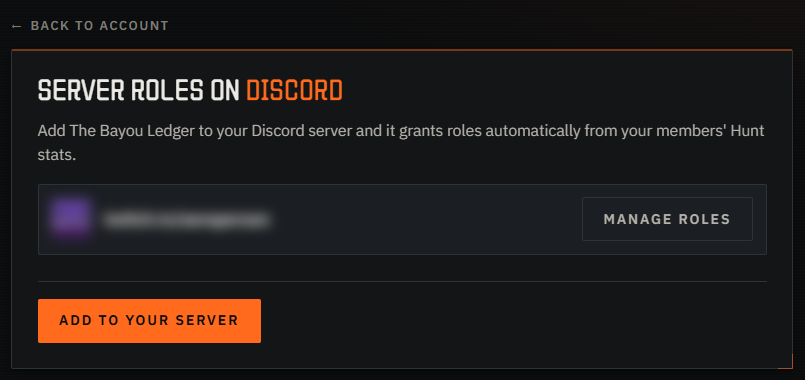
Discord roles from your members' Hunt stats
Discord roles can now be handed out from your members' Hunt: Showdown 1896 stats - a 6-star role, a veteran role - and stay current on their own.
Roles from Hunt stats
Roles come from real Hunt stats instead of the honour system. Four numbers to work with - MMR (so, stars), KDA, prestige and lifetime bounty. Gate a channel behind a rank, tag your sweats, run a proving-ground role.
Two ways to set it up
You can run both at once:
- Discord Linked Roles - free, set up entirely inside Discord. You set a minimum ("at least 6 stars"), and members claim the role themselves. Discord checks the number against us and enforces it.
- Automatic roles - a Legend perk. Our bot sits in your server and grants and removes roles on its own as stats move. It supports bands - "everyone between a 1.00 and a 1.50 KDA" - as well as minimums, and it takes a role back the moment someone no longer qualifies.
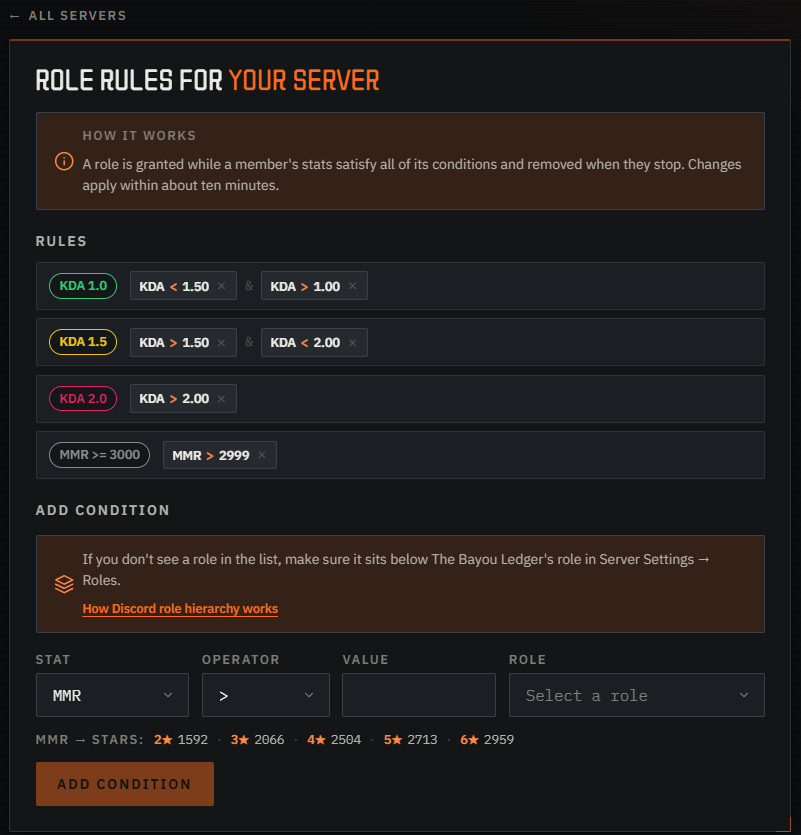
What your members do
Members link their Discord account once - it's free and takes about a minute. The easiest nudge is to drop this into your server:
https://bayouledger.com/discord/verify
That one page signs them in with Steam and connects Discord on its own. The bot only ever sees four numbers per member - MMR, KDA, prestige and lifetime bounty - and skips anyone who hasn't linked or who hides their profile in Hunt.
Getting started
Open your servers to add the bot, or set up Linked Roles straight from Discord. The full walk-throughs are in the docs:
- Automatic Discord roles - add the bot and map stats to roles.
- Discord Linked Roles - the free, in-Discord way.
- Linking a Discord account - the one to share with your members.