Your dossier can now split your hours into individual matches - the hunter, their loadout, how it ended - plus a roster of your hunters and your pick rates. It's off until you switch it on.
Want to look before switching anything on? Open the example dossier - any signed-in hunter can.
How to switch it on
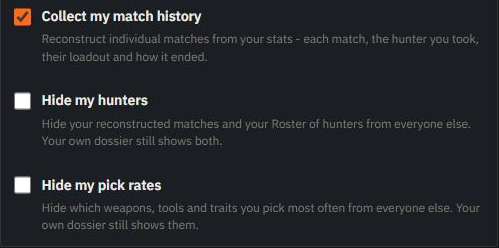
Tick Collect my match history in your account settings, or press Enable in the prompt on your own dossier. There's nothing to install or run - we rebuild your matches from the same stats we already read, starting from the moment you switch it on. It does need Steam to show us when you're in a match, so make both your Steam profile and your Hunt: Showdown 1896 game details public.
What you get
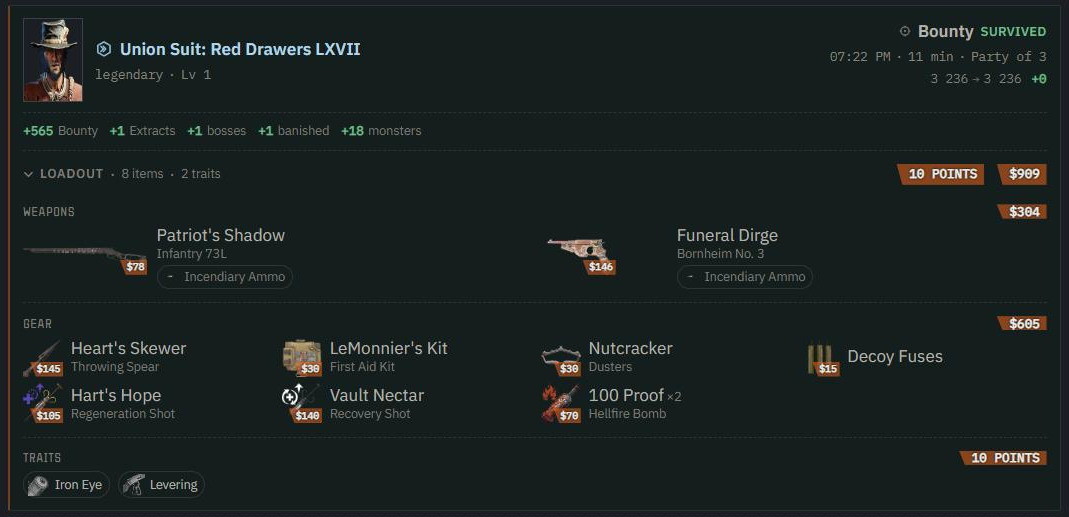
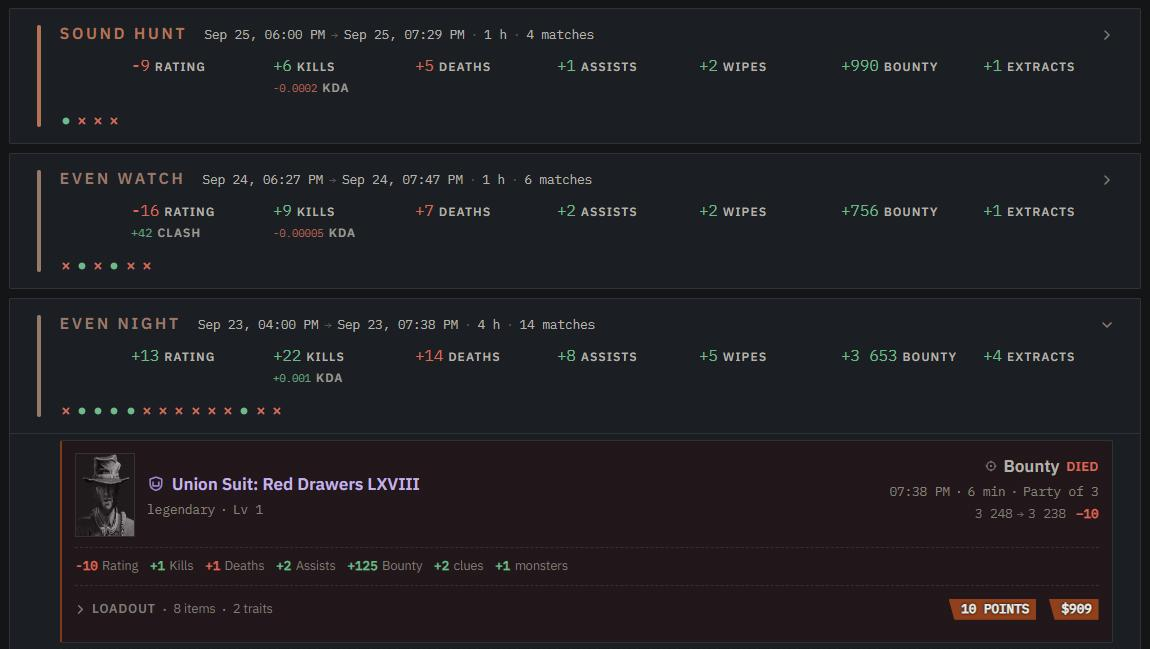
History keeps the same timeline, but each session now carries a row of marks - one per match, a dot for surviving and a cross for dying. Open a match to see the hunter, the mode, the outcome and what changed, and open Loadout for the guns with their ammo, the equipment, the traits and what the whole kit cost.
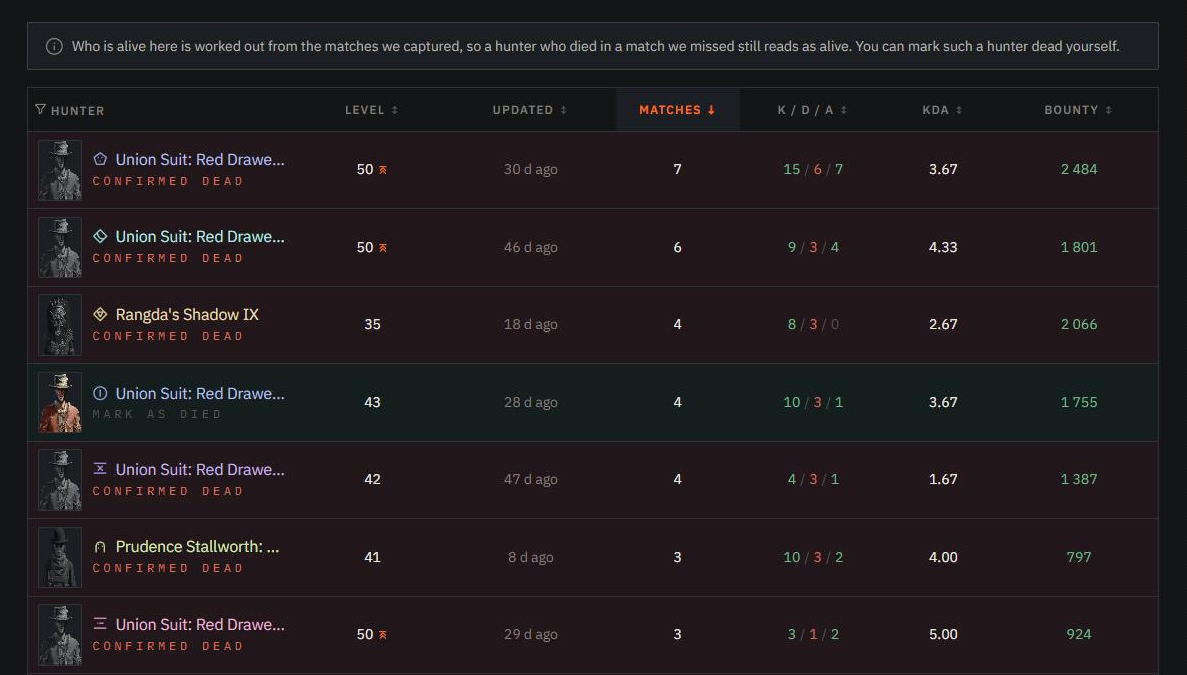
Roster lists every hunter you've fielded: their level, their stats, how many matches they walked out of and whether they're still alive. If one died in a match we missed, mark them dead yourself - the site labels it as your word, not ours.
Pick rates show what you really bring: which hunters, guns, tools and traits you reach for most, with KDA and survival next to each.
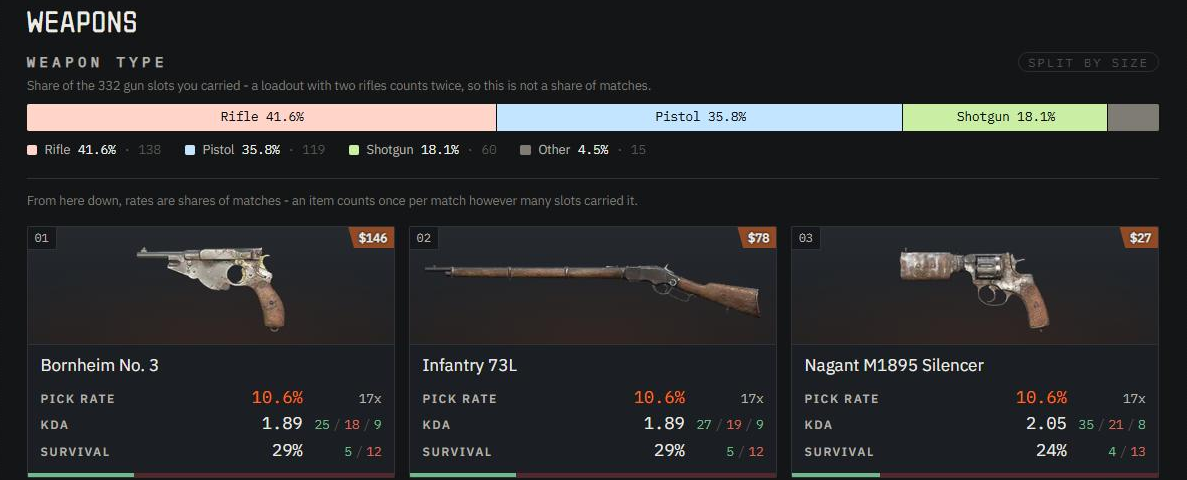
Every item explains itself
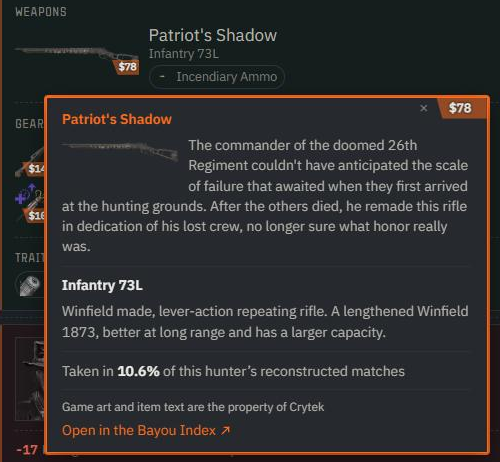
Hover any hunter, weapon, tool, consumable or trait on these tabs to read what it is - and for a legendary skin, what it's built on. Click it (or tap it on a phone) to pin the card, and Open in the Bayou Index takes you to the item's page in the Bayou Index, our game database.
Fair is fair
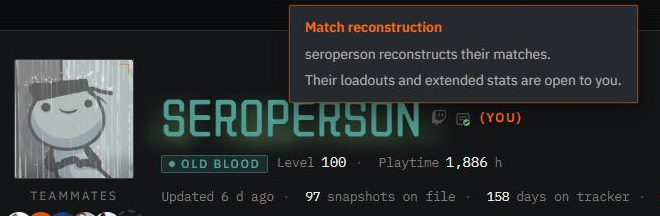
Other hunters' rosters and pick rates are open to those who rebuild their own matches - while your collection is off, theirs stay closed to you, and they open the moment you switch it on. Banisher and above see them either way. Hunters who take part wear a small Match reconstruction badge next to their name.
If you'd rather keep yours to yourself, Hide my hunters and Hide my pick rates hide them from everyone else while you still see them on your own dossier. And unticking the collection switch both stops it and hides what was already rebuilt from everyone but you.
The whole thing, switch by switch, is in the match history guide.