Match history
Everything else on the site works from your totals: lifetime kills, bounty, MMR. Match history breaks that apart into the rounds you actually played - one entry per match, with the hunter you took into it, what they were carrying, and how it ended.
It is off until you turn it on, and nothing is recorded before you do.
To see what it looks like first, open the example dossier - any signed-in hunter can, whether or not they collect their own matches.
Turning it on
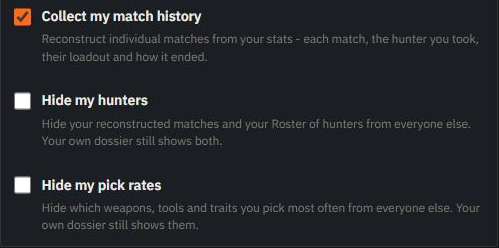
Open your account settings and tick Collect my match history.
Your own dossier also offers it once, with an Enable button that does the same thing. Don't show again puts the offer away for good without deciding anything - you can still turn collection on from your settings afterwards.
From then on we reconstruct your rounds as you play. There is nothing to install and nothing to run - it works from the same stats we already read.
It does need Steam to show us when you are in a match. In your Steam privacy settings, make both your profile and your Hunt: Showdown 1896 game details public - with either one hidden we cannot see a match start, so nothing gets reconstructed. While Steam hides your play from us, the switch stays off and says why: fix the settings, play a match, and it unlocks.
What it adds
Three things appear once you have matches on file.
History gains match entries. Your timeline still shows the same hours it always did, but the rounds inside them are now broken out individually.
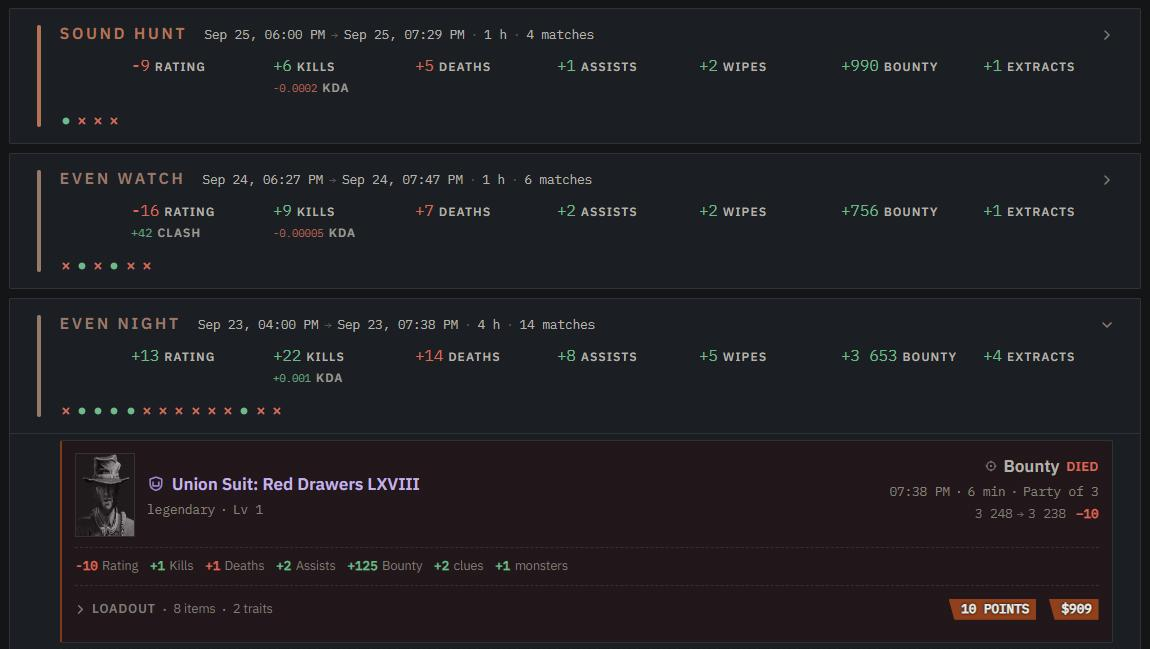
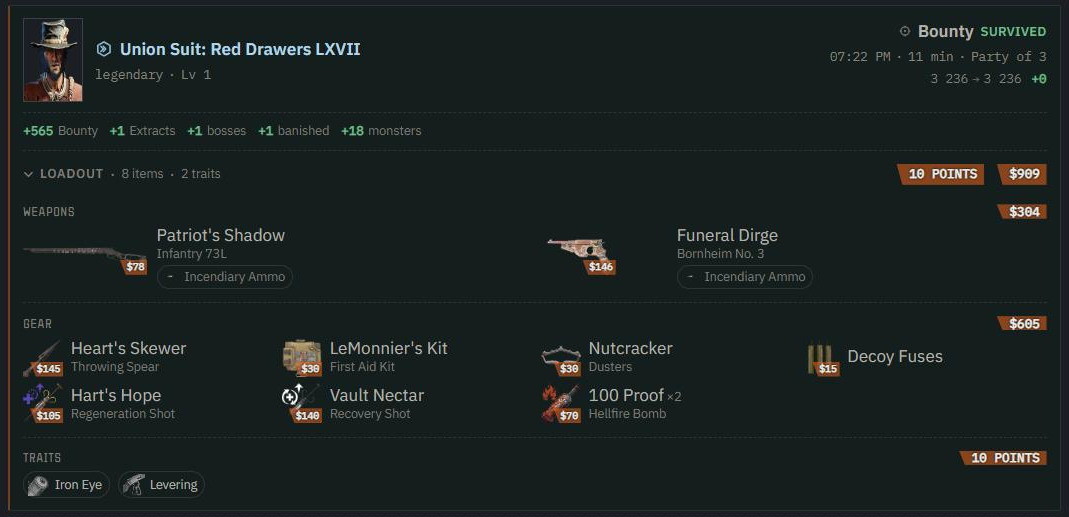
Each match shows the hunter you took, the mode, how it ended and what it changed. Open Loadout to see what that hunter carried: weapons with their ammo, gear, traits, and what the whole kit cost.
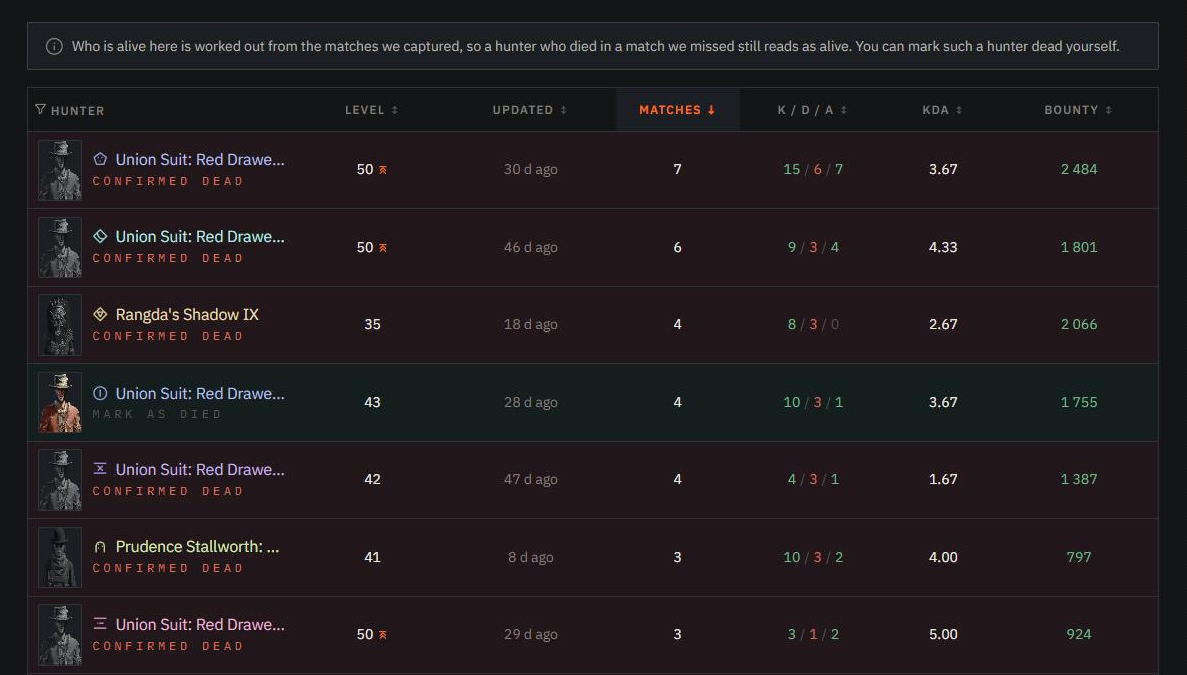
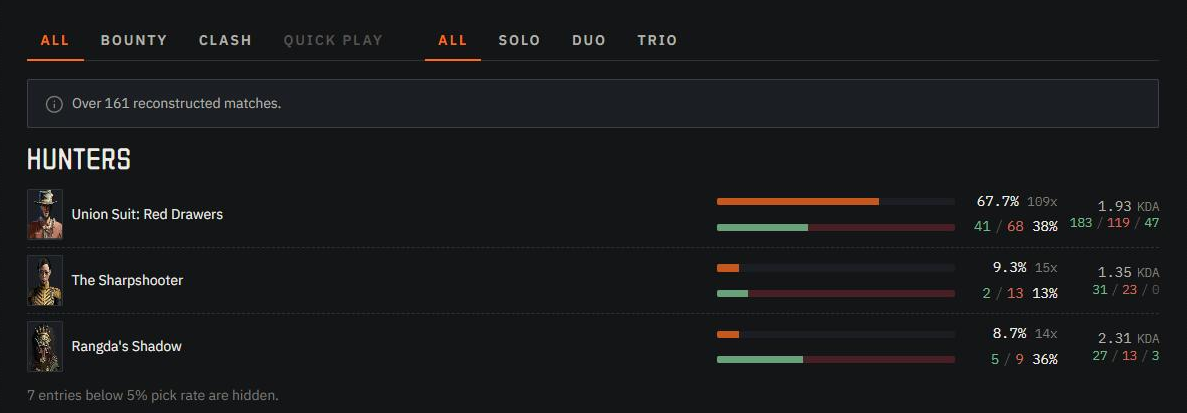
Roster lists every hunter you have fielded - their level, their record, how many matches they survived, and whether they are still alive.
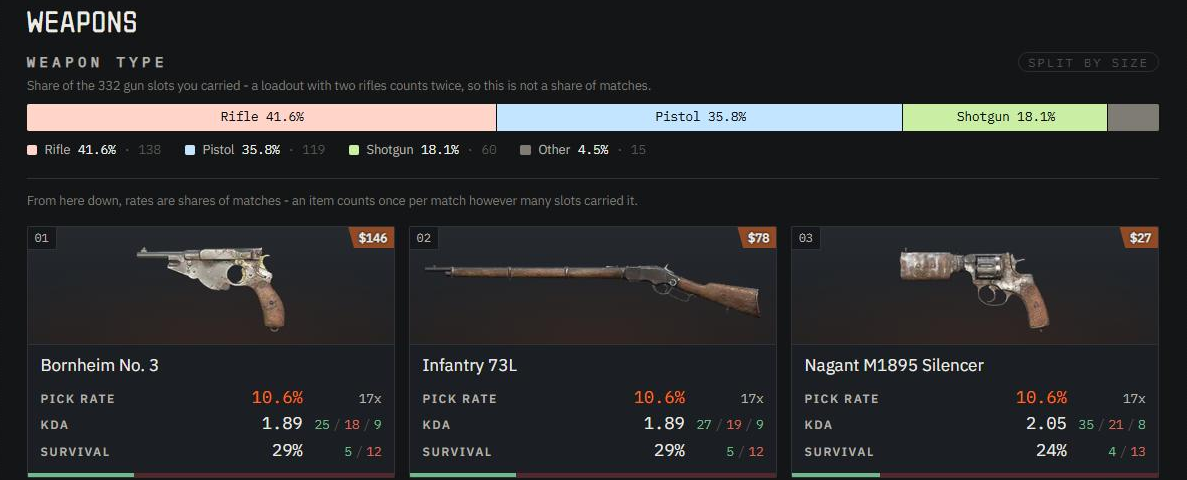
Pick rates shows what you actually take: which weapons, tools and traits you reach for most, across all your reconstructed matches.
Item details
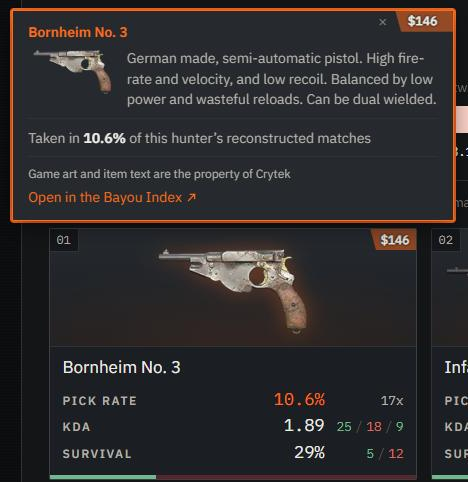
Every hunter, weapon, tool, consumable and trait on these three tabs explains itself. Point at one to read what it is, and for a legendary skin, the item it is built on.
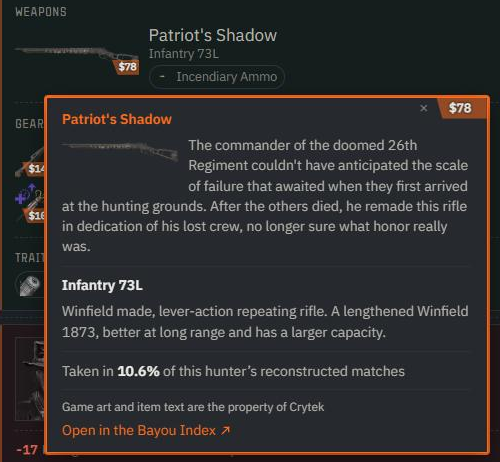
Click it - or tap it on a phone - to pin the card open. A pinned card stays open while you scroll, and Open in the Bayou Index takes you to that item's page in the Bayou Index, our database of the game. Close it with the ×, with Escape, or by clicking anywhere else.
Hunters have no page in the Bayou Index, so their cards carry no link.
Reading other hunters
Match history is reciprocal. Other hunters' rosters and pick rates are open to the hunters who reconstruct their own - so while your collection is off, you do not see theirs.
The exception is Banisher and above: those plans keep other hunters' matches open to you whether or not you collect your own.
Hunters who reconstruct their matches carry a small Match reconstruction mark next to their name. Point at it to see whether their matches are open to you.
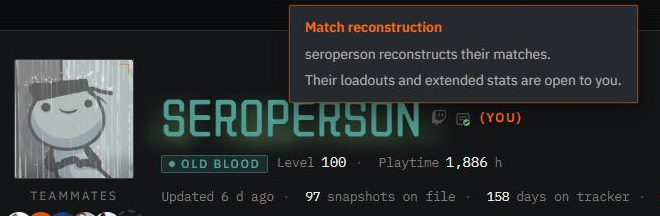
This only affects the match surfaces. The rest of a dossier is unchanged: you still get anyone's history timeline, their charts and their season views exactly as before. What you lose is the per-match breakdown and the two tabs built on top of it.
The first time you turn it on, theirs open straight away. Turn it off and back on later, though, and other hunters' rosters and pick rates come back to you an hour after. That wait is what stops someone switching collection on for the length of one page view and off again - the same rule the privacy switches follow, and the account page counts it down for you while it runs.
Who can see yours
By default your matches are visible on your dossier like the rest of your stats. Two switches narrow that, and both live beside the first one:
- Hide my hunters takes your Roster and your match entries away from everyone else. Your own dossier still shows both.
- Hide my pick rates does the same for your pick rates.
They only apply while collection is on, and they hide from other people - what you see on your own dossier never changes. If your whole account is private, or your match history is private, those settings already cover all of this and these two are folded into them.
About the roster's dead hunters
Who is alive on your roster is worked out from the matches we captured. When a hunter dies in a round we did not capture, they go on reading as alive - so the roster tells you where it is guessing, and lets you correct it.
On your own roster, each living hunter carries a Mark as died control. It is your statement, not ours, and the site labels it that way rather than pretending it saw the death. If that hunter turns out to have played since, the newer match wins and the mark quietly lifts.
Some matches carry no hunter identity at all. Those still count in your History, but they cannot be attributed to a hunter, so they stay off the Roster.
Turning it off
Untick Collect my match history. Two things happen at once: we stop reconstructing new rounds, and everything already reconstructed stops being shown to other hunters. You still see your own matches on your dossier.
Ticking it again resumes collection and shows the earlier matches to other hunters again. If you want them gone rather than hidden, deleting your account removes them along with everything else we hold.