You can now set yourself a target and have the site track it, show who you play with on your dossier, and give your overlay a look of its own.
Set a target, and we track it
Everything else here tells you where you've been. A goal is the one thing that follows where you're trying to get to. It's a supporter feature: it comes with every tier from Contractor up, and with the Overlay plan and its free 5-day demo.
You set one on your own dossier, under the party-finder button: pick a metric - MMR, Clash MMR, KDA, KD, kills, wipes or bounty - a target, a start date, and a deadline if you want one.
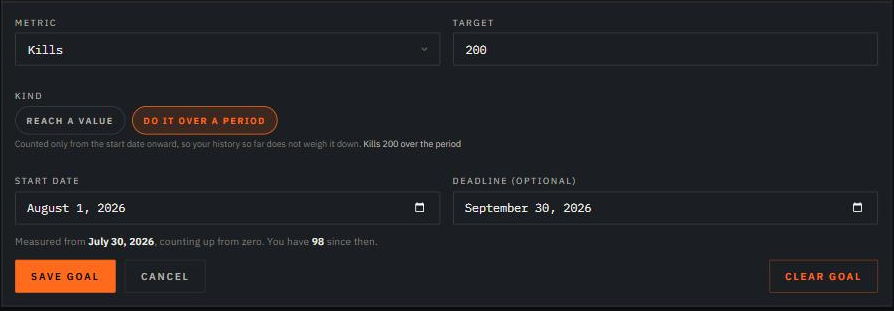
The choice that matters is the kind:
- Reach a value aims at your all-time number. "Reach 3 000 MMR". That's the right shape for a rating, which is a level rather than a pile
- Do it over a period counts only from the start date onward. "1 000 kills since the 1st". Use it for anything you want to do this month - with 5 000 lifetime kills behind you, hauling your all-time KDA up half a point is a job for years, and a month of good play barely shows on it
You can start a goal in the past, and we measure from where you actually stood that day. Pick a date from before we started tracking you and we use the earliest day we hold - and say so on the goal, rather than quietly pretending it began when you asked.

While it runs, your dossier carries the bar, how far there is left, your pace over the last two weeks, and when you'll get there - or, with a deadline set, the pace you'd need and whether you're ahead of it or behind. Hover the bar for where the run started and what it has averaged the whole way; hover the pace for your last five sessions, one by one.
Stop playing for a few days and it reads stalled, with no finish date - guessing one off no progress would just be a made-up number. Get there and it freezes as done and reports what the run cost: how long it took, your average per day, the number you actually landed on, and how many days ahead of or behind your deadline you came in.
One goal at a time, and it's public on your dossier. The whole thing is written up in the documentation.
Who rides with you
Your dossier now has a Teammates strip under your avatar. Put the hunters you actually play with on it and anyone reading your page can see them - and hover one for their playstyle, rating and KDA. Two hunters free, six from Banisher up.
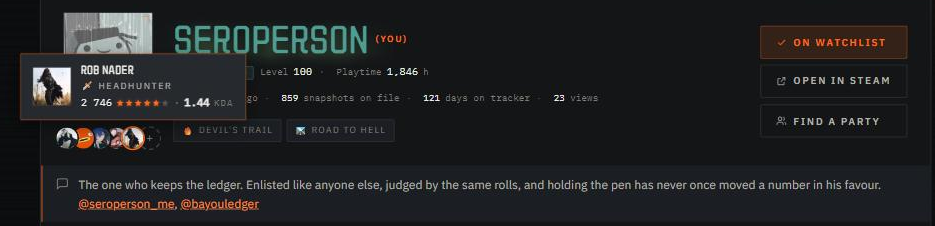
- Nobody ends up on a list against their will. A new Hide from teammate lists setting keeps you off every strip on the site, and anyone you've listed can take themselves off yours - after which you can't put them back
- A teammate who goes private shows as hidden and keeps holding their slot until you clear it, so nobody quietly vanishes from your row
An overlay that looks like yours
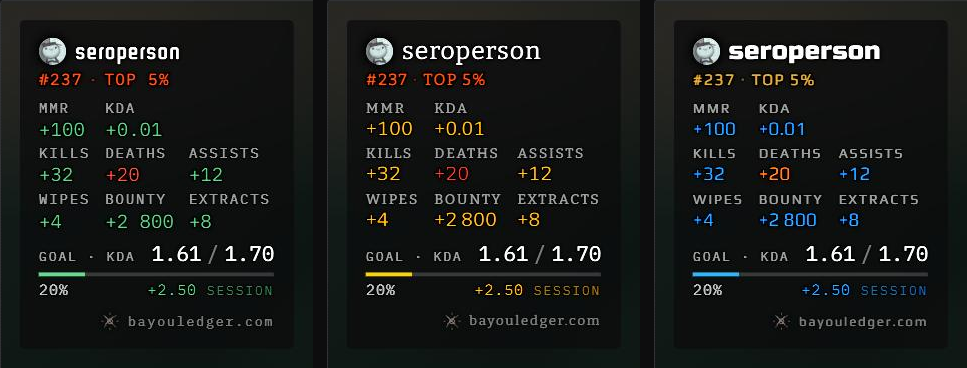
Two new pickers in the overlay editor, both set per display mode, so Compact can look nothing like Extended:
- Typeface - six looks, and they're genuinely different kinds of lettering rather than six shades of the same sans: Field Telegraph (what you have now), Condensed, Gazette (the serif), Terminal, Arcade and Dispatch. Every font ships inside the overlay, so OBS draws exactly what the editor showed you - nothing to install
- Colour scheme - Bayou is the green-and-red you know, Vivid cuts
through busy footage, Ice and Ember run cool and warm, Signal swaps
green and red for blue and orange (the one to pick if red-green is hard for you
or your chat), and Mono drops colour altogether and lets the
+and-carry the night
Also new on the card:
- Show goal puts your goal up there: a progress bar, where you stand against the target, and what the current session has put into it - the one number only the overlay can tell you. It moves live, and setting or changing a goal mid-stream appears without you touching OBS
- Text size, a third dial beside Scale and Counter size, for everything that isn't a stat number - labels, headings, session dates and your name
- Separator lines can be switched off for a barer card
- The season KDA now follows the counter-size dial like every other number, instead of ignoring it
Setup guide, as always, in the documentation.
Everything else
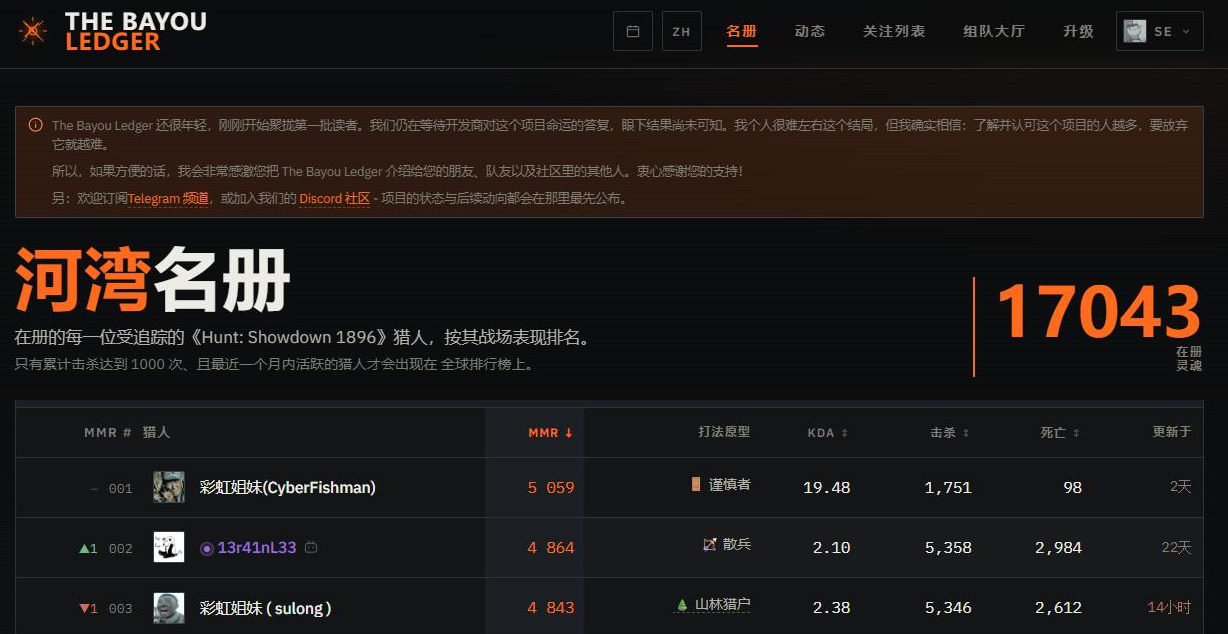
The site speaks Chinese. 简体中文 joins English and Russian - interface and guides alike.
- Pages load quicker
- Your numbers refresh more often
- And more...
Thanks, everyone! And spread the word 🙂