Match history
Match history splits your totals into the matches you played: the hunter you took, what they carried and how each match ended.
It's off until you turn it on and records nothing before then. The example dossier shows what it looks like to any signed-in hunter.
Turning it on
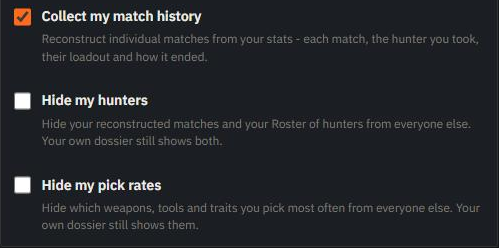
Open your account settings and tick Collect my match history. Your dossier also offers it once with an Enable button; Don't show again only hides that offer.
Steam has to show us when you're in a match, so all of these must hold while you play:
- Steam profile set to Public
- Game details set to Public (Friends Only hides you too - we're not on your friends list)
- Steam status set to Online (Offline and Invisible hide you too)
If one is wrong, the switch stays off and names the setting to fix.
Two more things make us miss matches even while the switch is on:
- The in-game option Opt Out From Rich Presence (Options → Privacy) is ticked. Untick it.
- Another Steam app, such as Crosshair X, shows in your Steam status instead of Hunt: Showdown 1896.
We also need your Hunt region: pick it under Primary Region on your account page, or leave it on Automatic - we'll work it out and tell you via notifications. Until then, the switch stays off.
If no matches appear:
- Open the Steam visibility panel on your account page - it names the wrong setting and estimates how many matches you missed in the last 7 days (Bounty Hunt and Clash only; Quick Play isn't counted).
- Once you fix a setting, Check my Steam settings there re-checks right away - start Hunt: Showdown 1896 first, since some settings only show while you're in the game.
- When we miss matches for a reason you can fix, we also tell you in your notifications, at most once every 3 days per reason and not again while the last one is still unread.
- We tell you only once a reason is clear: Offline or online with no game after 3 matches missed that way, Opt Out From Rich Presence after Steam has shown you in Hunt: Showdown 1896 without your match several times in a row, and your region only while we still don't know it.
What it adds
History breaks each session into the matches played in it.
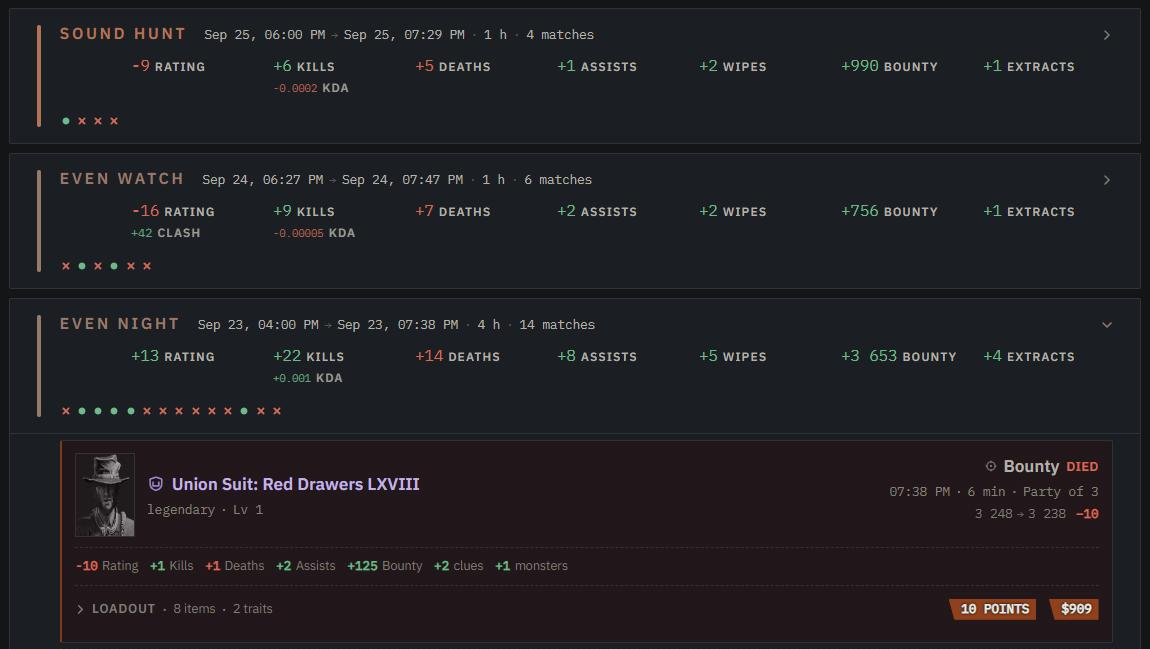
Each match shows the hunter, the mode and how it ended, with a clock that fills toward the mode's time limit (hover it for the exact length). Open Loadout to see what the hunter carried: weapons with ammo, gear, traits and the kit's total cost.
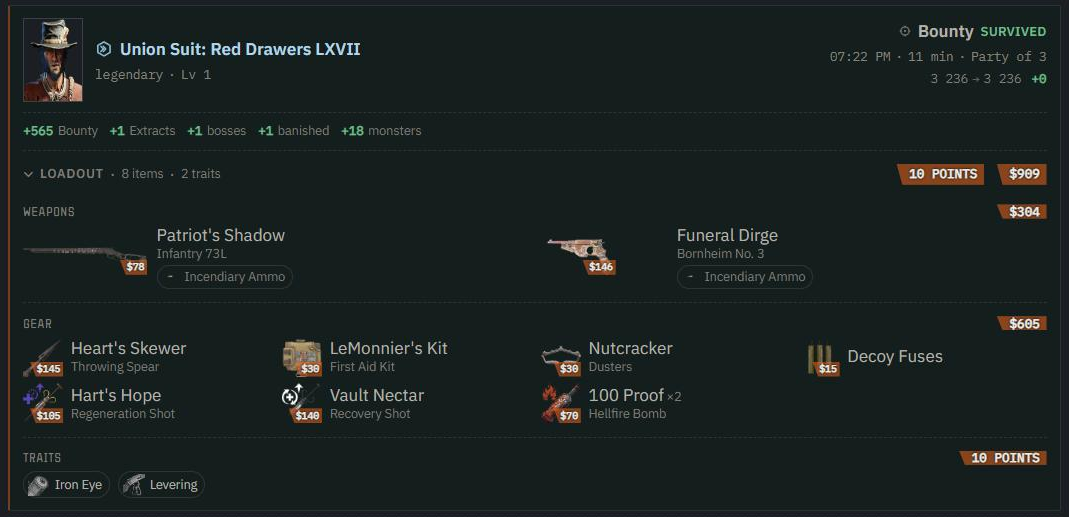
In a party, the entry shows an avatar beside Party of N for each teammate who also collects and whose side we captured:
- Click Party of N (or Solo) for the full match: the party side by side with each hunter's MMR, loadout and result, plus Party match totals, where team figures (Extracts, Bounty) count once.
- Hover or click an avatar for that hunter's card or dossier. A teammate we can't show (untracked, missed or hidden) gets a blank card, and one whose side is older than your plan reaches shows their name with a link to upgrade.
- The strip above the columns lists the session's matches; click one to switch. A session's match count in History (21 matches, say) opens its first match.
- With more than one match in the strip, Session global totals adds up matches, time played and Average kit value per hunter (loadouts we could read).
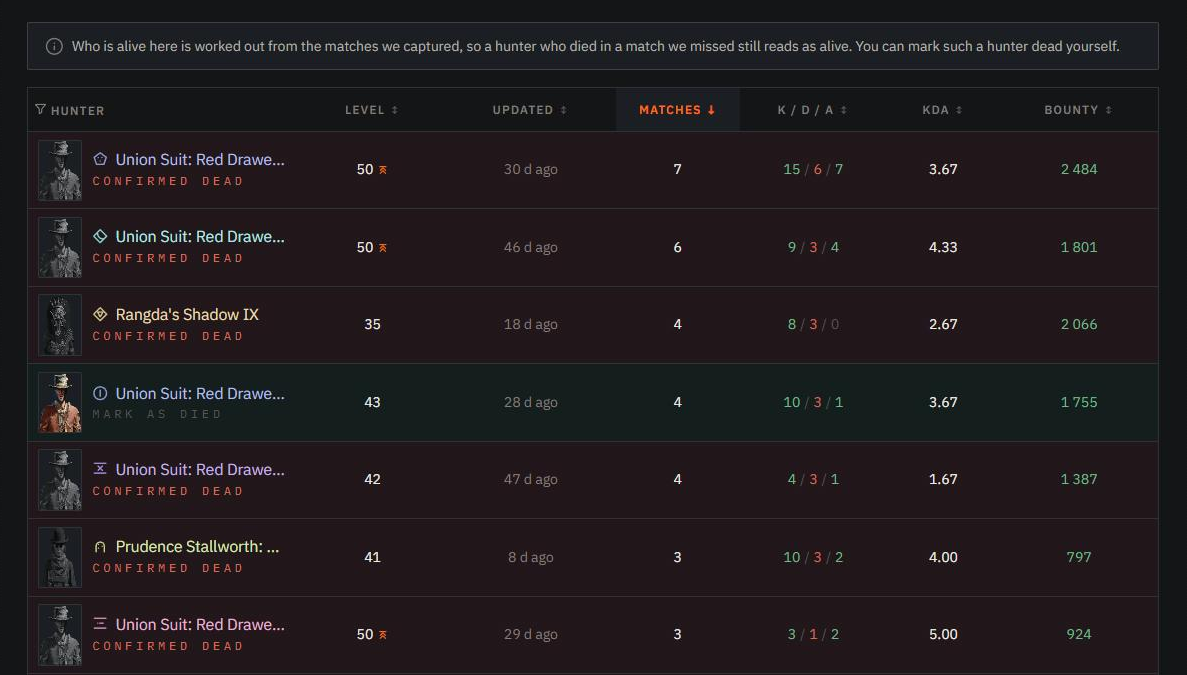
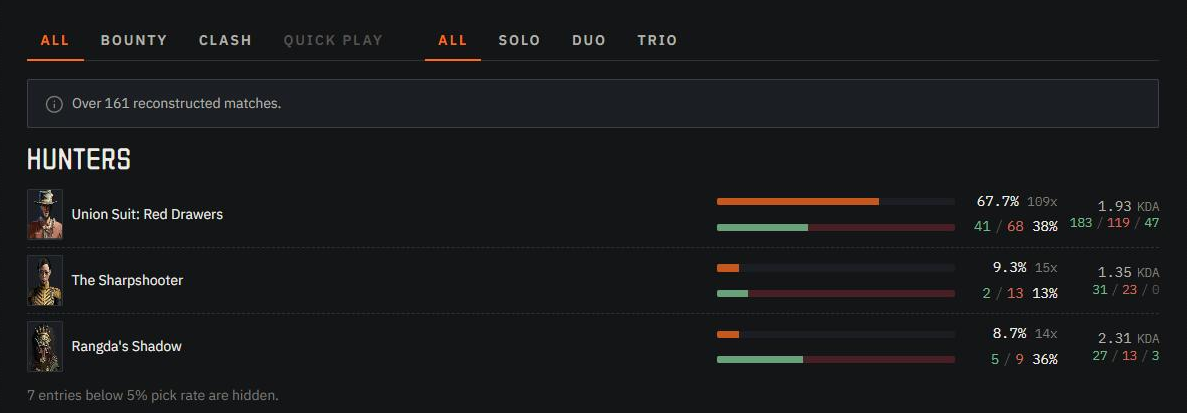
Roster lists every hunter you've fielded: level, record, matches survived and whether they're still alive.
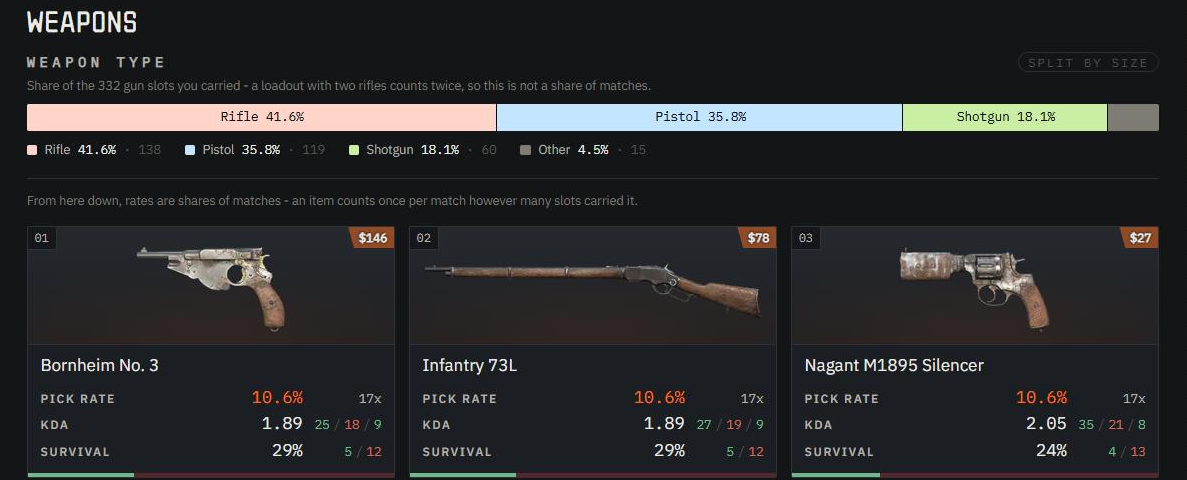
Pick rates shows the weapons, tools and traits you take most.
Item details
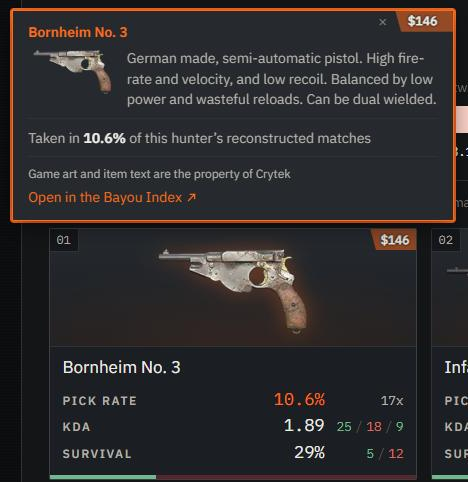
Hover any hunter, weapon, tool, consumable or trait on these three tabs to see what it is, and for a legendary skin, what it's built on and how to unlock it: its store price in Blood Bonds, or the event, Battle Pass, Story Challenge, DLC, Twitch drop, prestige reward or questline it comes from.
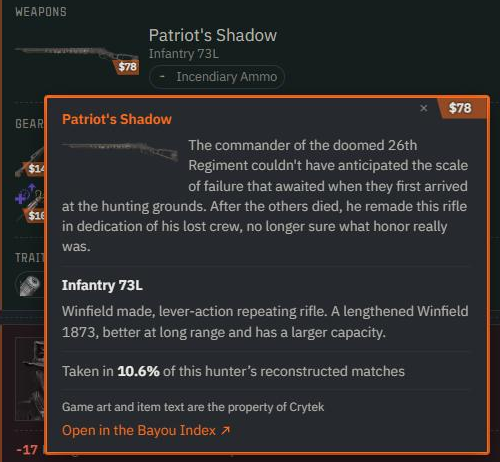
Click or tap it to pin the card. Open in the Bayou Index opens the hunter's or item's page in the Bayou Index, our game database.
Reading other hunters
Other hunters' Roster and Pick rates open only while you collect your own matches. Banisher and above plans open them either way.
A hunter with a reconstructed match carries a Match reconstruction mark by their name. Hover it to see whether their matches are open to you.
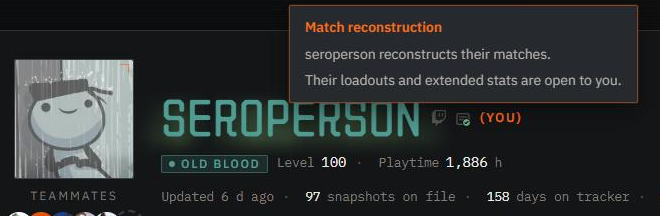
The history timeline, charts and season views stay visible either way. The first time you turn collection on, others' data opens at once; turn it off and on again, and it returns an hour later.
Who can see yours
Your matches show on your dossier like the rest of your stats. Three switches sit next to Collect my match history:
- Hide my hunters hides your Roster and match entries from everyone but you.
- Hide my pick rates does the same for pick rates.
- Keep me off the match of the day keeps your matches off the home page and hides nothing else.
They apply only while collection is on, and the first two add nothing if your account or match history is already private.
Your avatar, loadout and results for a shared match also show on your teammates' matches, to whoever can see your own. Two settings remove you from them without touching your dossier:
- Hide from teammate lists, in your privacy settings, removes you from everyone's matches and teammates lists.
- Remove me from this list, on a hunter whose teammates list names you, removes you from that hunter's matches too.
Pulse counts recorded rounds across the site by day and mode, anonymously and only for hunters who share. Turning on Hide my hunters, or Collect my match history off, takes your rounds out within minutes.
Match of the day
The home page features the most exciting match we reconstructed on the previous UTC day. It is picked at 01:00 UTC and stays up all day. A quiet day features nothing.
Click the date to browse featured matches from today and the previous 30 UTC days. Only dates with an available match appear. Dates are listed newest first; choosing another date updates the section
How it is picked:
- Only Bounty Hunt and Clash count.
- At least one hunter in the party survives the match.
- A duo or trio needs the match recorded for every hunter in it.
- A solo hunter's match needs at least a quarter more points than the day's best party match.
- The score weighs kills, teams wiped, assists, bosses and bounty.
- Hunters flagged for kill farming are never featured.
Only hunters who share can be featured: Collect my match history on, Hide my hunters off, account and match history not private, shown on leaderboards and not opted out in the game. Every party member must meet this, and if a featured hunter stops meeting it, the next best match takes the spot.
A member who uses Hide from teammate lists, or Remove me from this list on another member, keeps the whole party off. Their solo matches can still be featured.
The pick is public: anyone, signed in or not, sees each featured hunter's name and avatar, the hunter they played and its level, their rating, kills, deaths, assists and weapons.
A hunter's full card adds how their MMR moved, the rest of their loadout (tools, consumables and traits) and their archetype when the leaderboard lists them.
A solo pick opens on that card; in a duo or trio, click a hunter's row to open theirs.
The full match opens for signed-in hunters who could open it from a featured hunter's dossier, so collecting your own matches opens it for you.
When your match is picked, everyone in your party gets a notification that opens it on their own dossier.
To stay off it, tick Keep me off the match of the day in your privacy settings. From the next daily pick on, you are left out in every party; a pick already made stands for its day.
About the roster's dead hunters
The Roster works out who's alive from the matches we captured, so a hunter who died in a round we missed still reads as alive. It shows where it's guessing and lets you correct it.
On your own Roster, each living hunter has a Mark as died control. A hunter you mark shows as Buried, apart from the Confirmed dead ones we saw die. If that hunter plays again, the newer match lifts the mark.
Matches with no hunter identity still count in History but can't be attributed to a hunter, so they stay off the Roster.
Turning it off
Untick Collect my match history. We stop reconstructing new rounds and hide the ones we have from other hunters; you still see them on your dossier.
Ticking it again resumes collection and shows the earlier matches to others again. To remove them for good, delete your account, which removes everything else we hold too.